

Overview
Your org-wide home page: headline KPIs (calls, cost, savings, incidents), cost-trend with anomaly markers, and per-project health. Start here to see whether anything needs attention.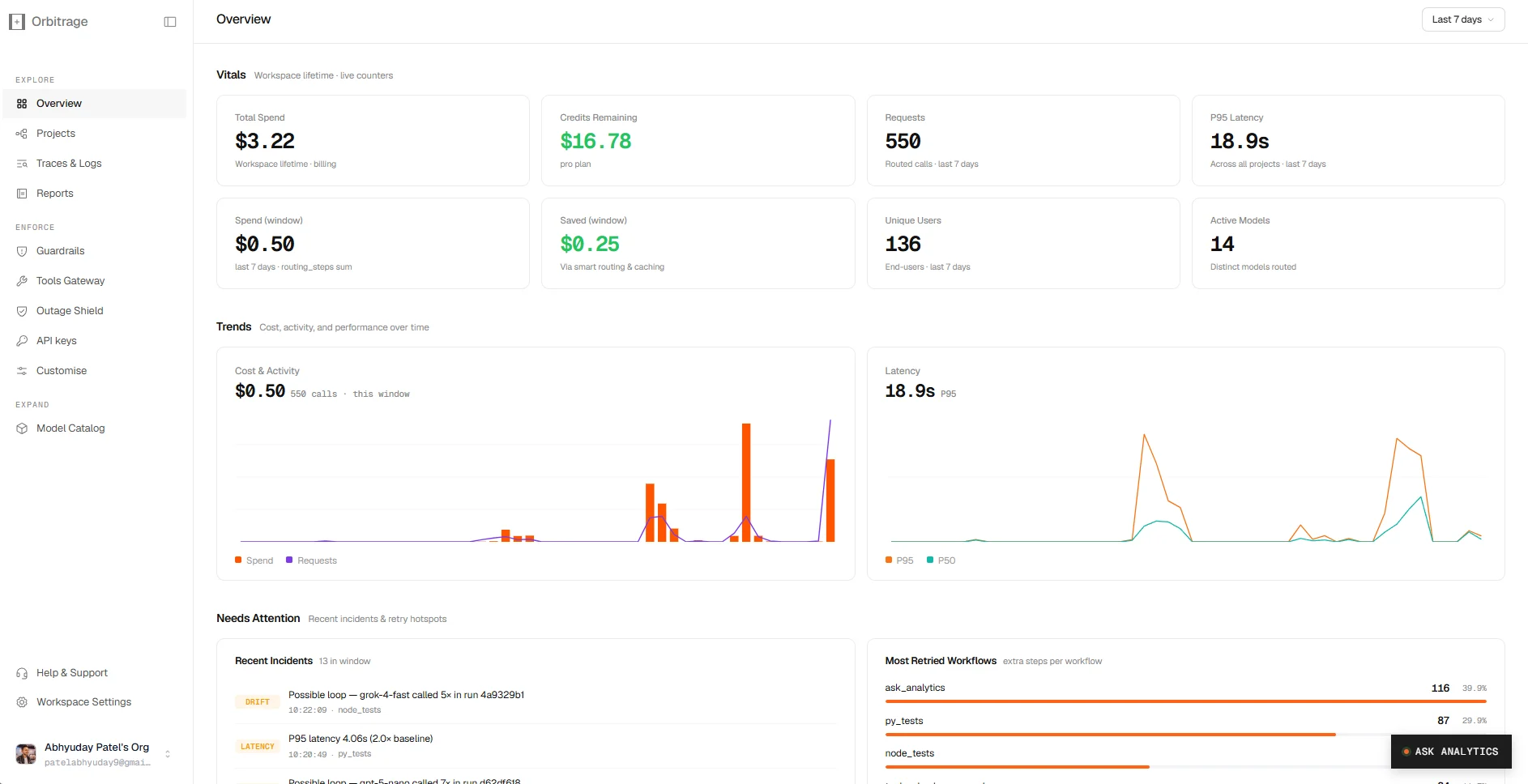
The Overview — live vitals, cost & latency trends, and the incidents/retries that need attention.
Workflows
A workflow is a project — every API key belongs to one. The list shows runs/month, incidents, cost, and status (running / paused / degraded) per project, and lets you create new ones. Open a workflow to get its flow graph: an interactive reconstruction of each run, with a node per LLM call and tool invocation. Click a node for messages, model, tokens, cost, latency, routing signals, and fallback chain. The detail page also has tabs for Analytics, Incidents, Intelligence, and Settings.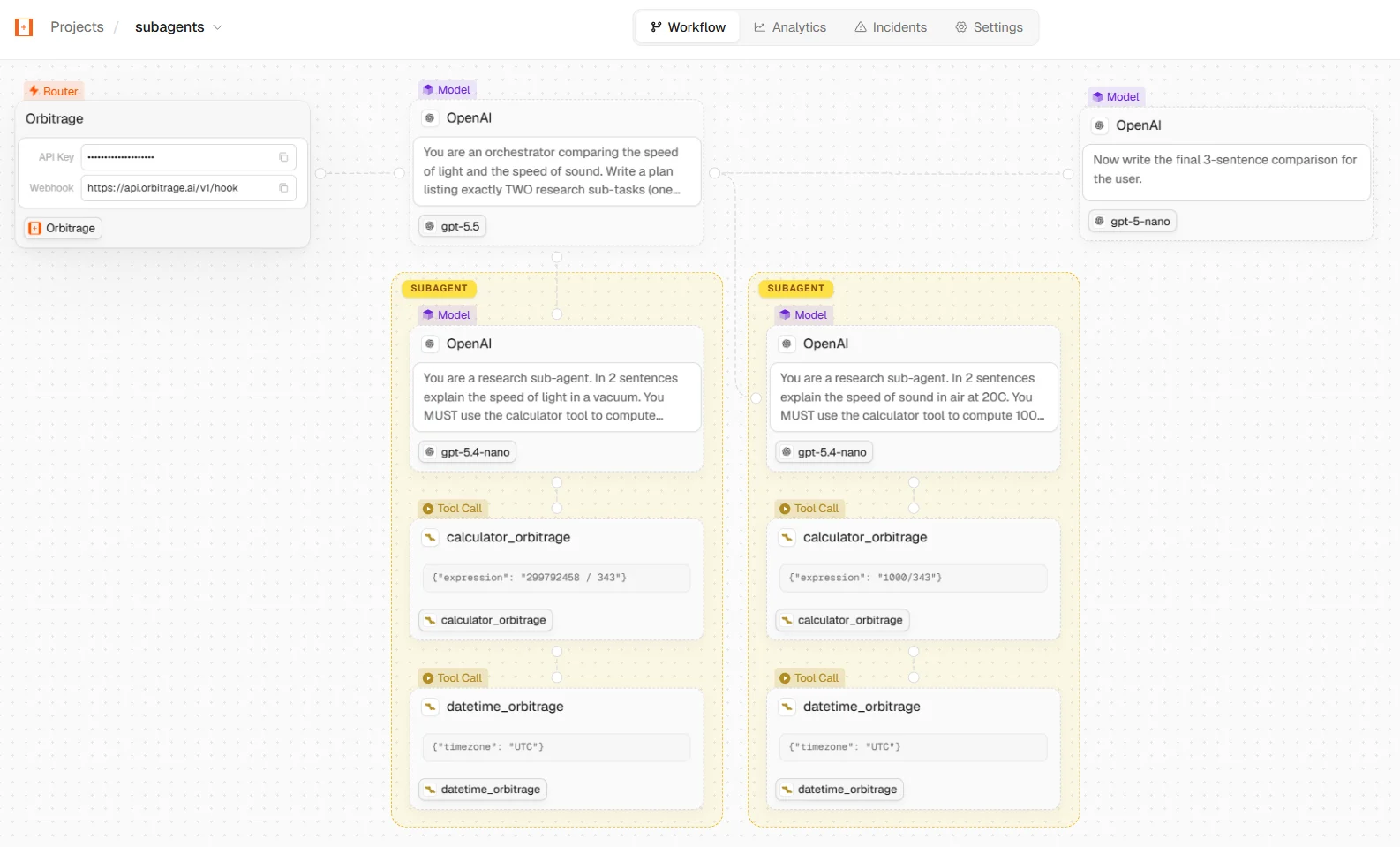
A workflow's flow graph — each LLM call and tool invocation (including managed tools like calculator_orbitrage) reconstructed node-by-node.
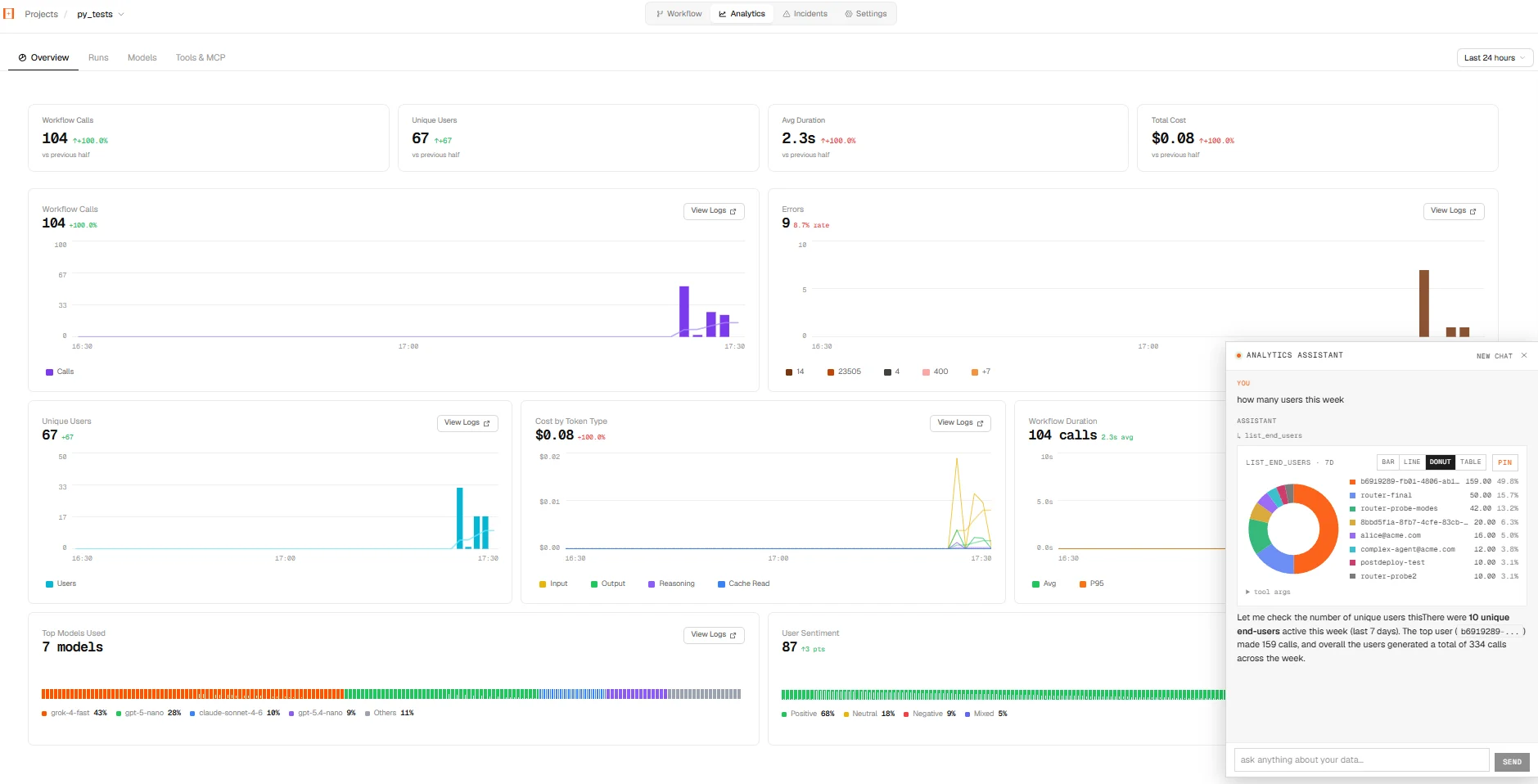
A project's Analytics tab, with the Ask-Analytics assistant answering 'how many users this week?' inline.
Routing
Every router decision, live. A sortable table of calls — requested model, routed model, tier, tokens, latency, cost, savings — plus charts for cost/latency per call, model distribution, and tier breakdown. Click any row for the full routing detail, including the score and the signals that drove it.Telemetry & Traces
- Telemetry — the live span stream from your calls, with per-span detail (trace id, provider, tokens/sec, baseline cost) and org-wide totals including “what you’d save with the router.”
- Traces — an org-wide drilldown across all workflows by Requests, Errors, Models, and Tools.
The three insight clusters
Within Overview and each workflow, analytics group into:Cost
Daily spend with anomaly detection, trend forecast, cost composition, a money-flow view, an hour-of-day heatmap, and top models / providers / users.
Topology
The routing matrix, context-window distribution, run shapes, a tool leaderboard with co-occurrence, and end-user similarity.
Errors
Per-provider error rates with confidence intervals, daily error series, refusal & truncation rates, and finish-reason drift.
Models
Browse the routable catalog with per-model pricing and tier, test any model in a chat modal, and manage BYOK provider keys — including a 30-day BYOK spend tracker and an org-level “fall back to pooled on BYOK failure” toggle. Frontier models (claude-*, gpt-*, gemini-*, grok-*) are badged BYOK required and greyed out with an Add key action until you save and enable a key for that vendor.
Router
Benchmark a sample of your real production traffic against cheaper (or better) models and switch the ones that hold your accuracy — replay, LLM-judge, and a trustworthy recommendation gate. See Router.Keys, Billing, Settings
- Keys — mint, list, and revoke API keys (each scoped to a workflow).
- Billing — credit balance, usage, and top-ups. See Billing.
- Customise — manage webhook alerts, pinned charts, MCP keys, and the Slack connection.
- Settings / Workspace / Orgs — profile, organization settings, and switching between organizations.
Prefer chat? Almost everything here — analytics, projects, keys, alerts — can also be driven from Slack or Ask Analytics without opening the dashboard.